
Deep-links are utilised to create unique URL links to a specific location and viewpoint within almost any Ocean 3D tour. This can be really helpful in many different situations, including directing someone to a specific location in a large or complex building. Alternatively, these links can enable visitors to a tour with a shortcut to jump or virtually ‘teleport’ from one key area to another.
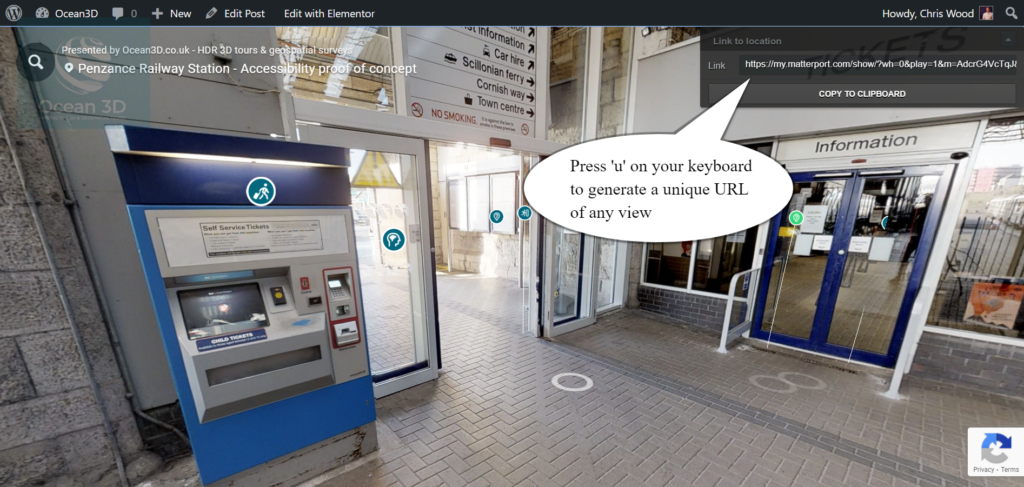
This is the example of the deep-link we created to the ticket machine at the Penzance railway station above.
Tour users can also create their own unique deep links too! This can be really useful to help family, friends or colleagues share important or favourite locations within a tour. Great for social sharing engagement too!
There are two ways to create a deep-link:
• using the ‘Link to Location’ pop-up window (press ‘u’ on your keyboard and the URL will appear in the top right hand corner of your screen)/. Please note that this function is currently only available on a laptop or desktop computer.
• Using the social sharing icon, which can be used only if the tour you are viewing has social sharing enabled as an option (this function is enabled by default on most tours however, some tour owners have requested that the function is disabled).
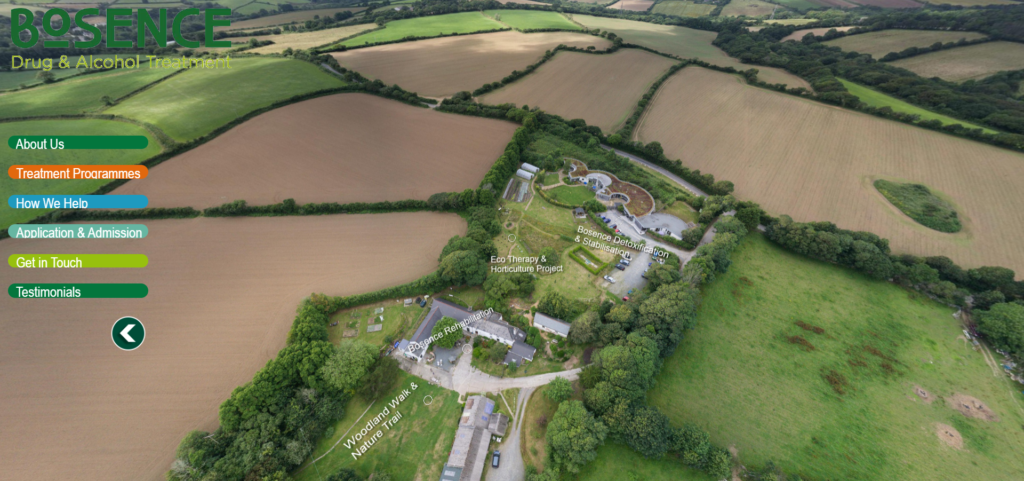
Ocean 3D can also use deep links in a tours interaction points (in-tour coloured circles/ icons) to transport visitors within the same tour, to ‘daisy-chain’ multiple tours together and, to link to a location from an aerial 360° image as in this example we created for Bosence Farm here
For more information or, if you’d like to share an idea for a deep-link (or share one you’ve created and why), please comment below or email us.